

For families
Every show near you, entries and payment on your phone, and each rider's classes, times and ribbons in one place.
Open the rider app →For organizations
Build the bill from last year's or a scan, take entries and money online, and run the gate and the scorecard from one screen.
Organization console →For everyone else
A live board for the arena TV and a link Grandma can open at home, with the show's video stream if the organization has one.
See an organization page →Free for families
A profile worth having, even if your organization isn't on Gate Call yet
One family account for the whole season: the shows you're thinking about, and the horses and papers you haul to every one of them.
Already have one? Open the rider app
- Find shows near youEvery listing in the show finder, by distance from your ZIP and by date, whether or not the organization runs on Gate Call.
- Save the shows coming upPut any upcoming show on your list. For a show not on Gate Call, the host's contact and the show bill are a tap away, with a file for your calendar.
- Keep your barn in one placeRiders, horses and their papers: Coggins, vaccinations, registration and health certificates, with a warning before one runs out.
- Share it with the familyInvite another parent or guardian with a link: up to four adults sign in to the same riders, horses, papers and shows.
- Know what each show costsNote stalls, fuel, food and lodging per show, beside what you paid on Gate Call, with a season total you can download.
- Log each horse's careFarrier and vet visits, shots, deworming and dental work, with what each cost and a reminder on Home before the next one is due.
- See the season on one calendarShows you entered or saved, payments due before a show, care coming up and papers running out, by month, with a link to add it all to your phone's calendar.
- Pack with a show-day checklistYour own packing list, from tack to Coggins, ticked off for each show on your list, with a warning if a horse's papers have run out.
- More when your organization is on Gate CallEnter and pay online, follow the show live, and keep every rider's results and high-point standings across organizations and seasons.
Find a show
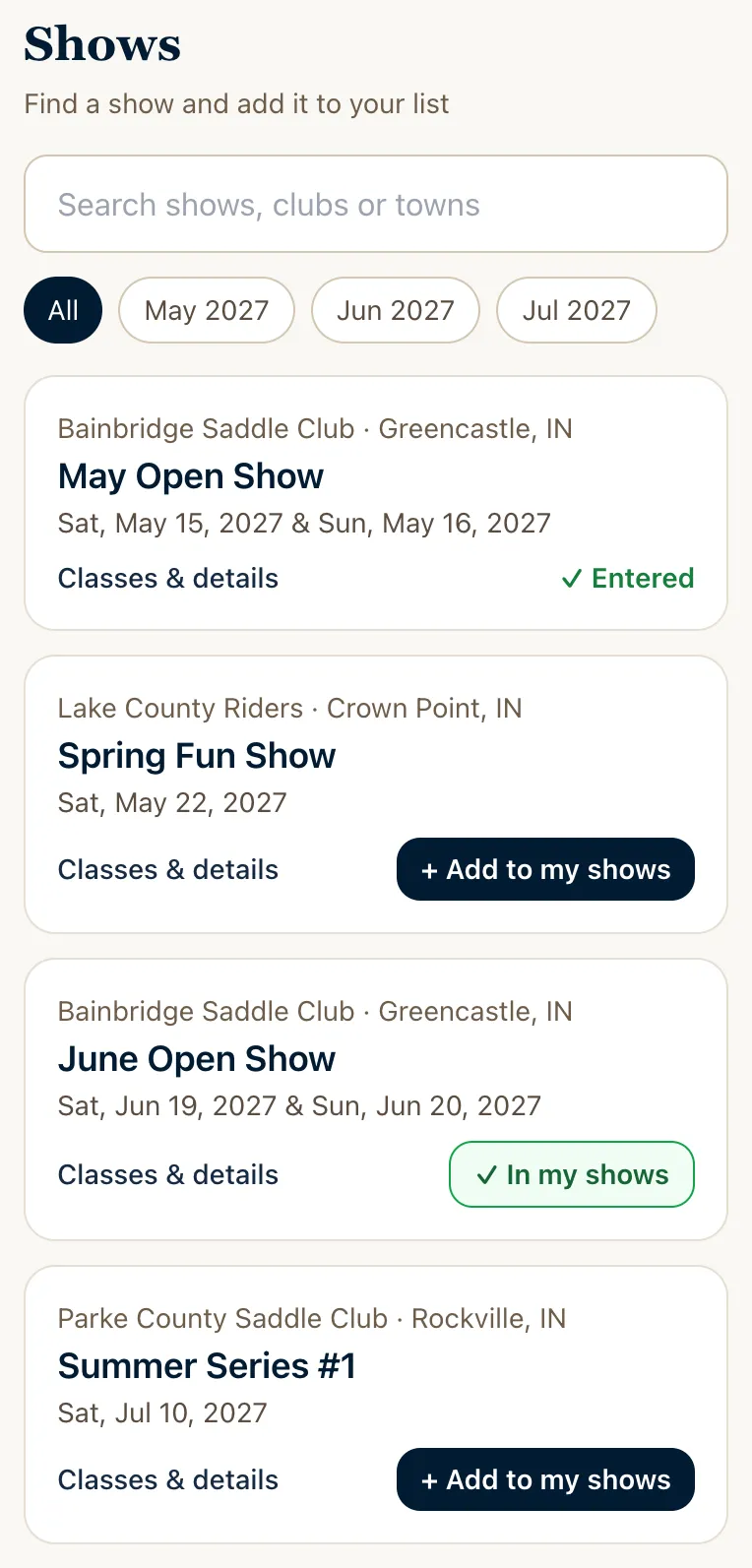
Every show bill, searchable, and a list of your own
- Search shows by distance from your ZIP, by date and by discipline, straight from the printed bills.
- Each show has its classes by day, fees and rules, with the host to call when you want to check.
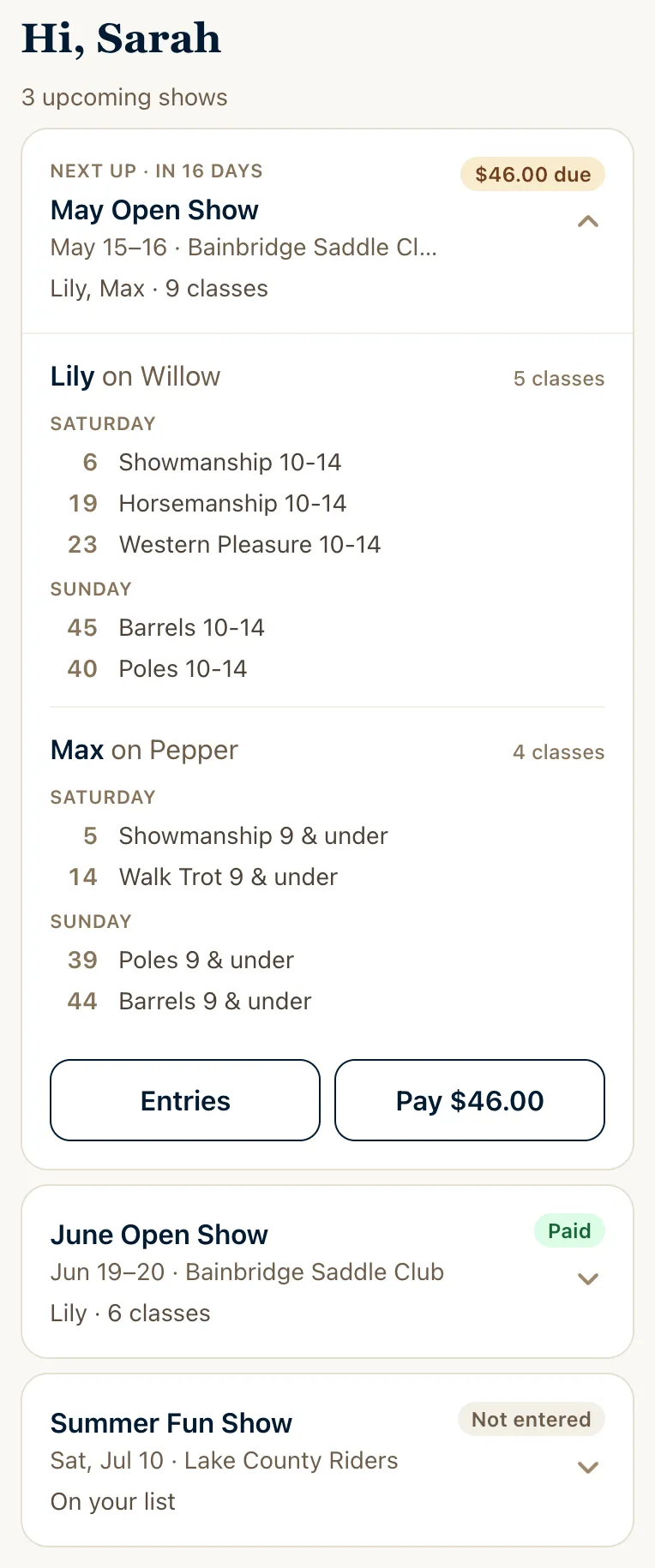
- Add the shows you're thinking about to your list, on Gate Call or not; enter when you're ready.
Enter from your phone
One family account for every rider, horse and organization
- Pick a rider and horse and see only the classes they can enter, with the reason when one is closed: age on the organization's date, walk-trot, gaited horses, pony heights.
- The bill works out the cheapest way to pay: weekend pass or class by class, member or not.
- Pay by card, Apple Pay or Google Pay, or at the show office. Scratch from your phone until your class is called.
- Two-rider classes like the Rescue Race take a partner from your barn or by name, and girls' and boys' divisions take the right riders.
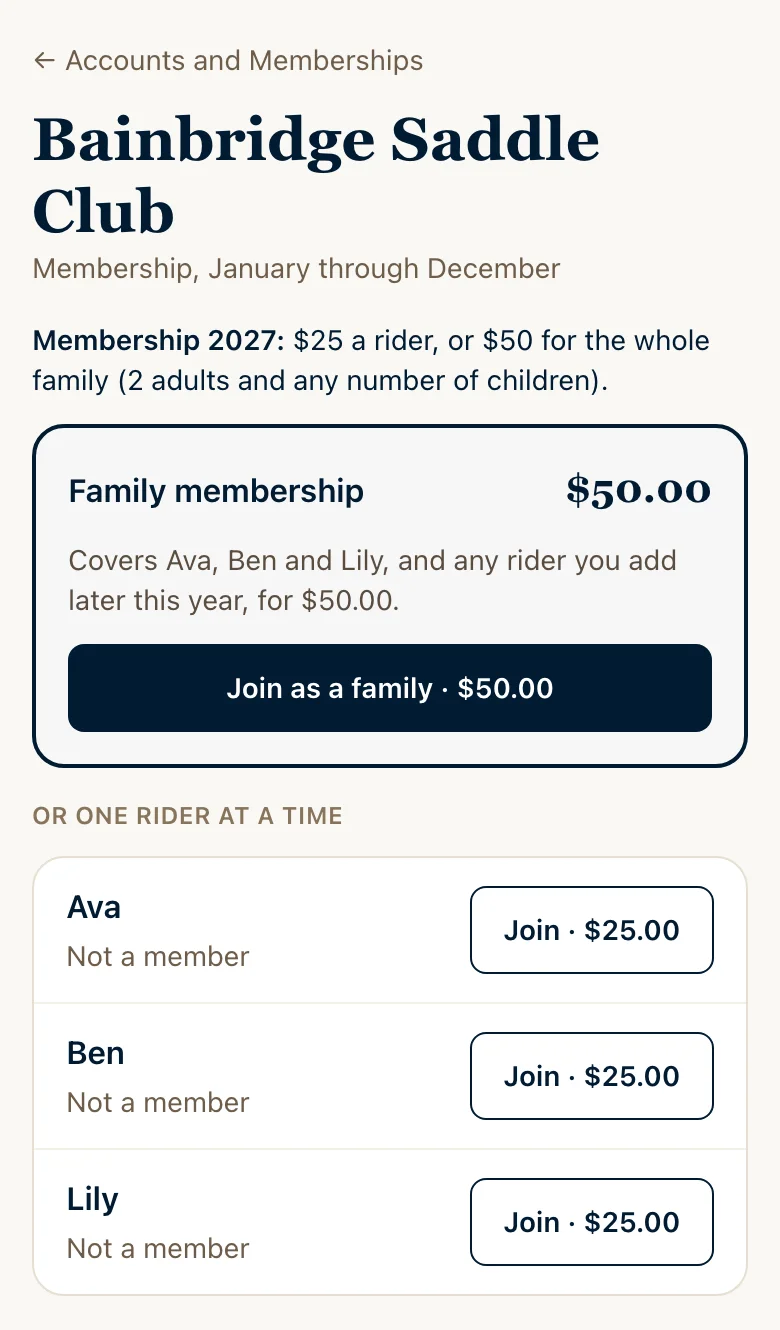
- Join the organization from the app, one rider or the whole family at the family price, and see the animal your rider drew at a rodeo.
Run show day
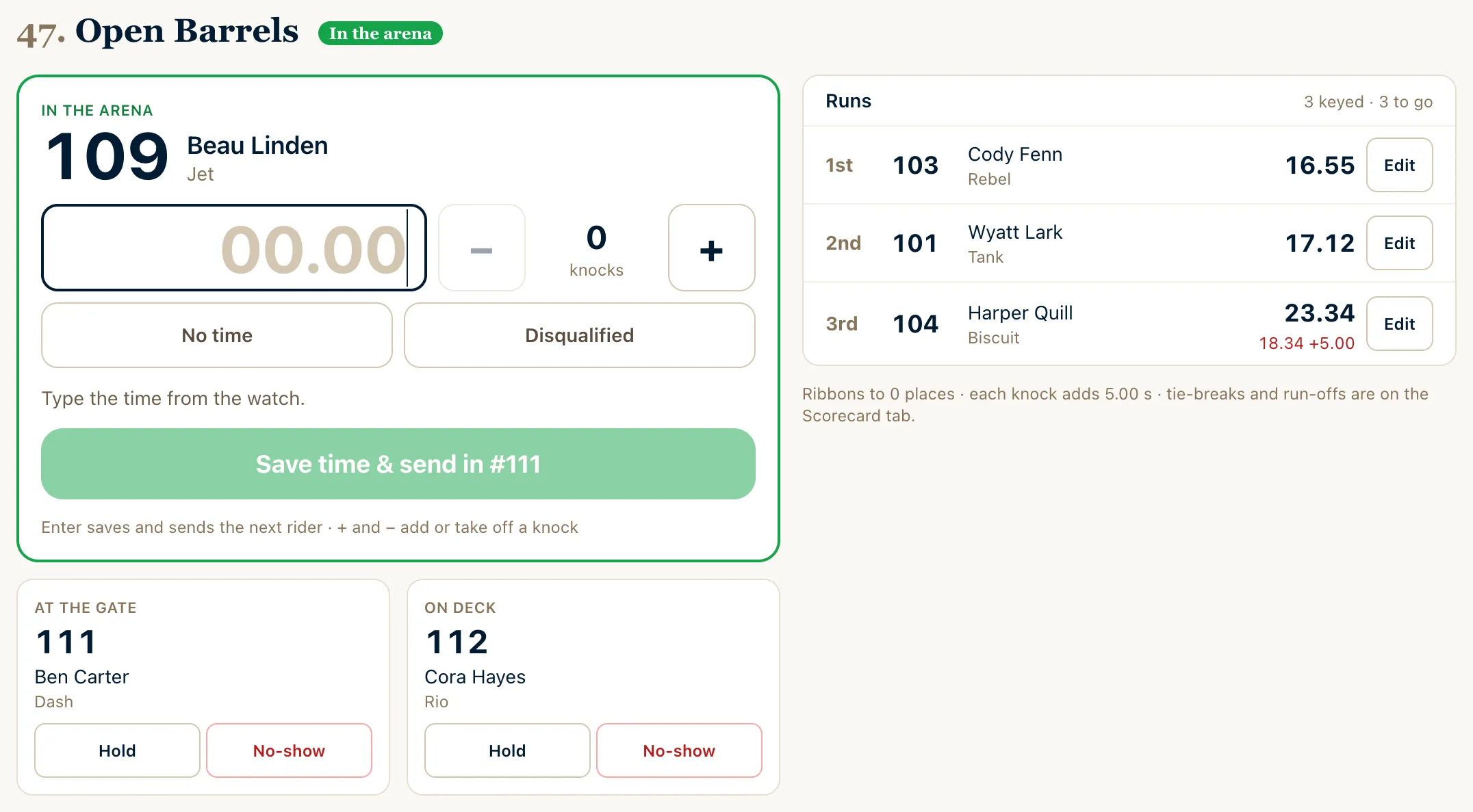
The gate and the scorecard on one screen, for one volunteer
- Call a class, send in the whole rail class at once or one rider at a time, skip a class with no entries, and undo a call made by mistake.
- Timed events: type the time, add knocks or rodeo penalties, and one tap saves the run and sends in the next rider. Two arenas run side by side, each starting when it's ready.
- Judged cards with assisted riders placed after unassisted ones, and open classes that pay back only when they make their minimum.
- Rodeo stock draws: the show's animals drawn to riders, re-rides on record, on the gate screen, the arena TV and the judge sheets.
At the office
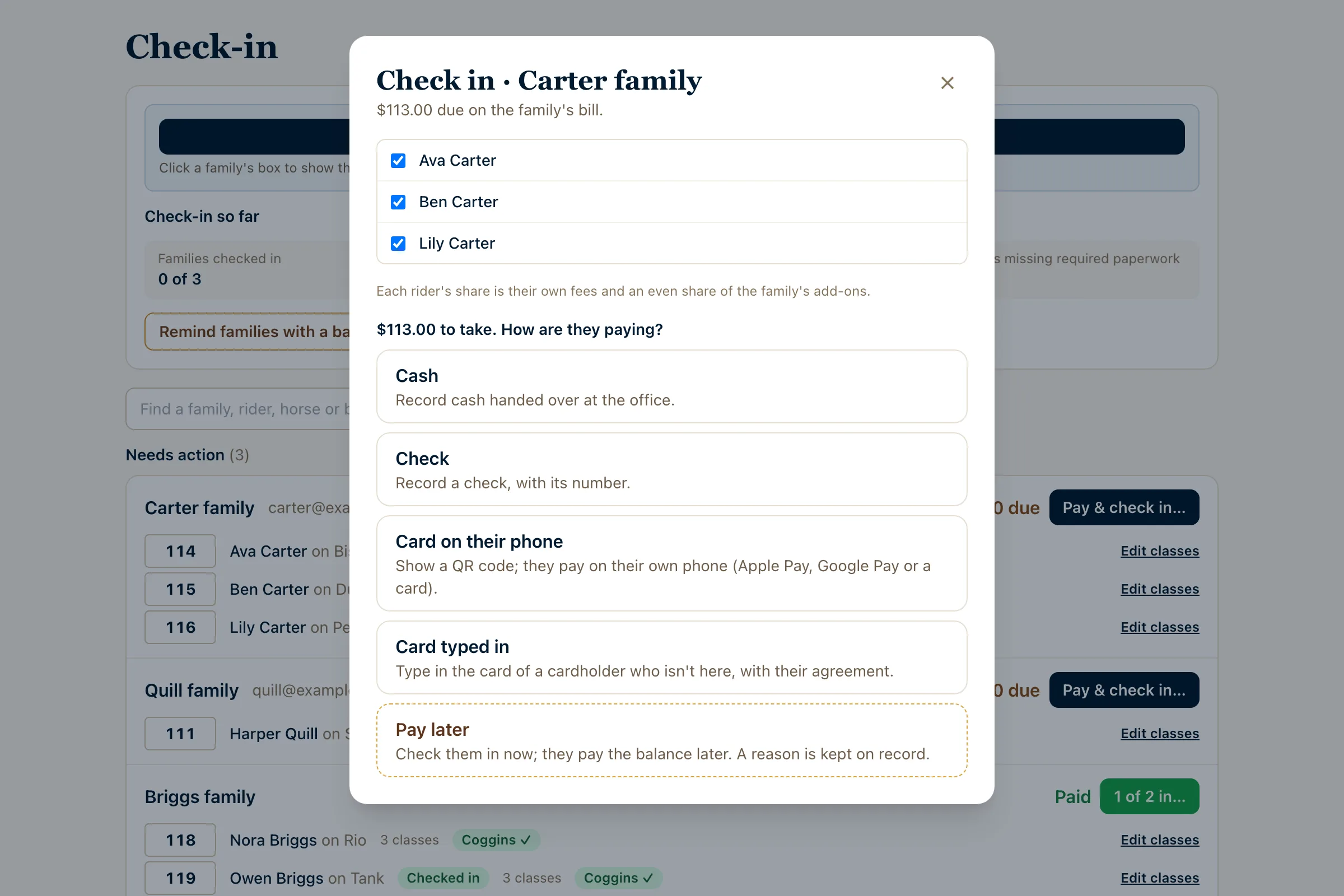
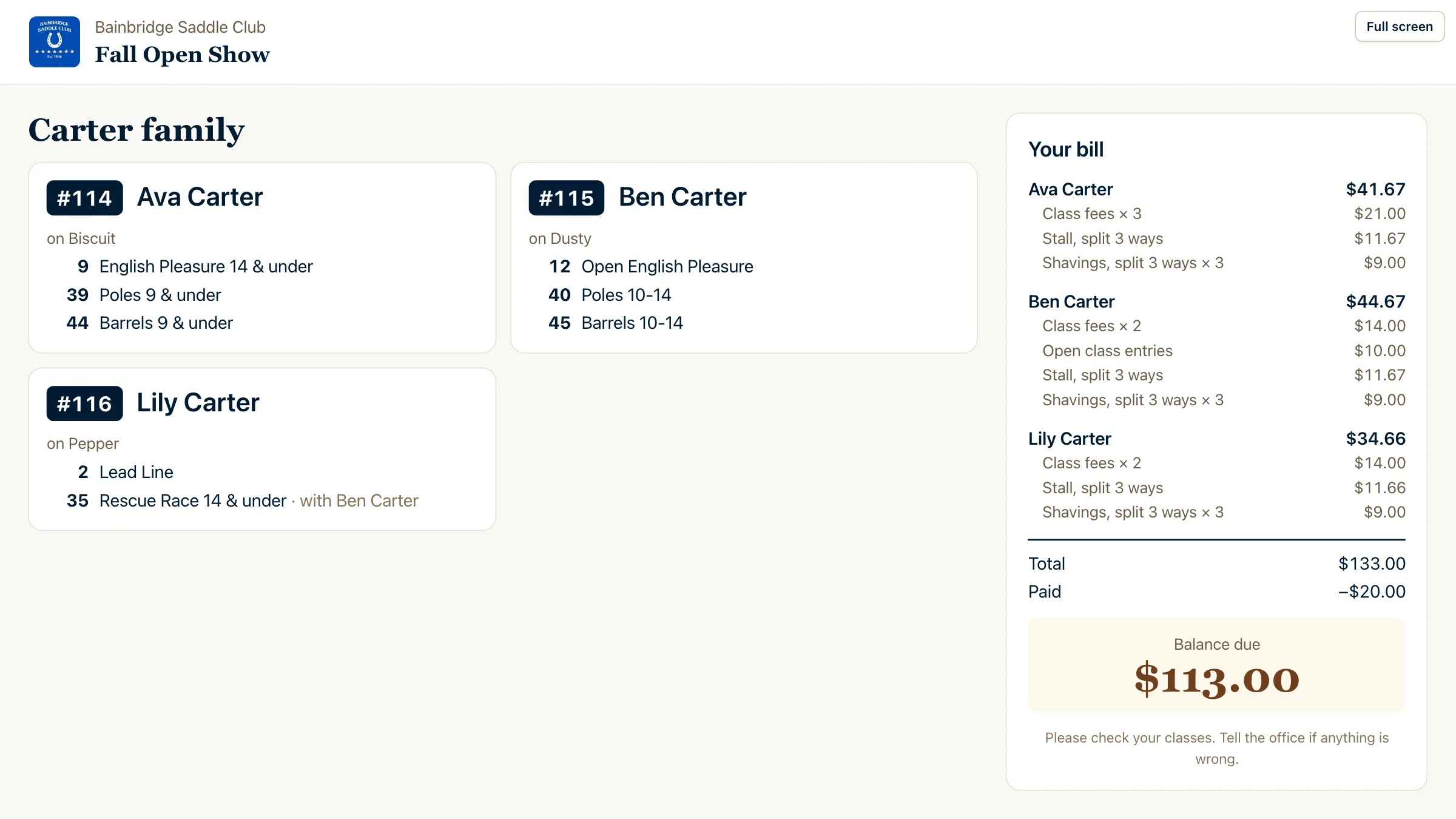
Check in and take payment in one window, with a screen for the family
Pick the riders, see what's due and take cash, a check, a card on their phone or pay later; they're checked in as it's recorded. Split households pay rider by rider. On a second monitor, the customer display shows the family each rider's back number and classes and the bill by rider, so they can check it while they pay.
Follow the show
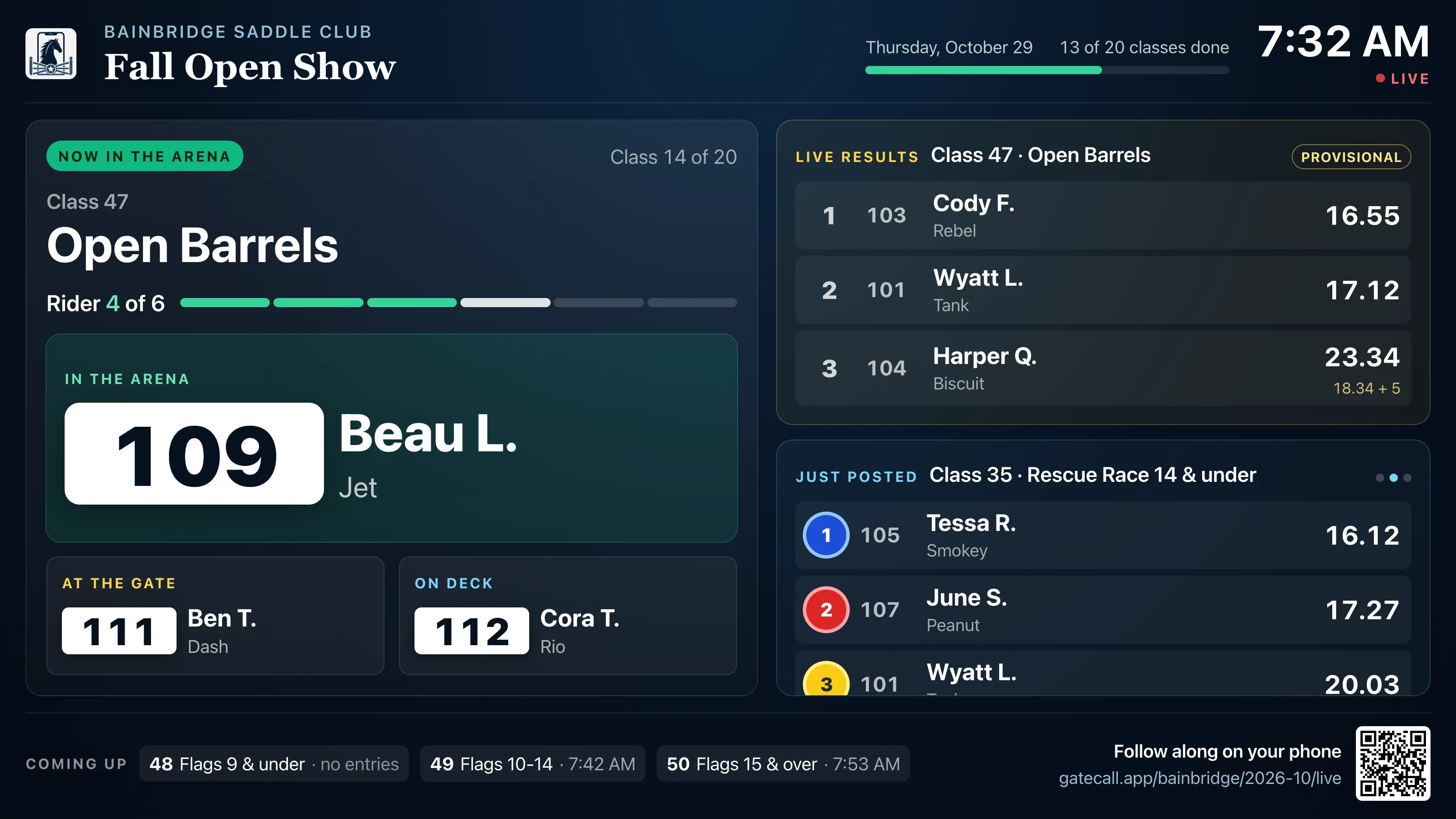
A live board for the arena TV, and a link for the folks at home
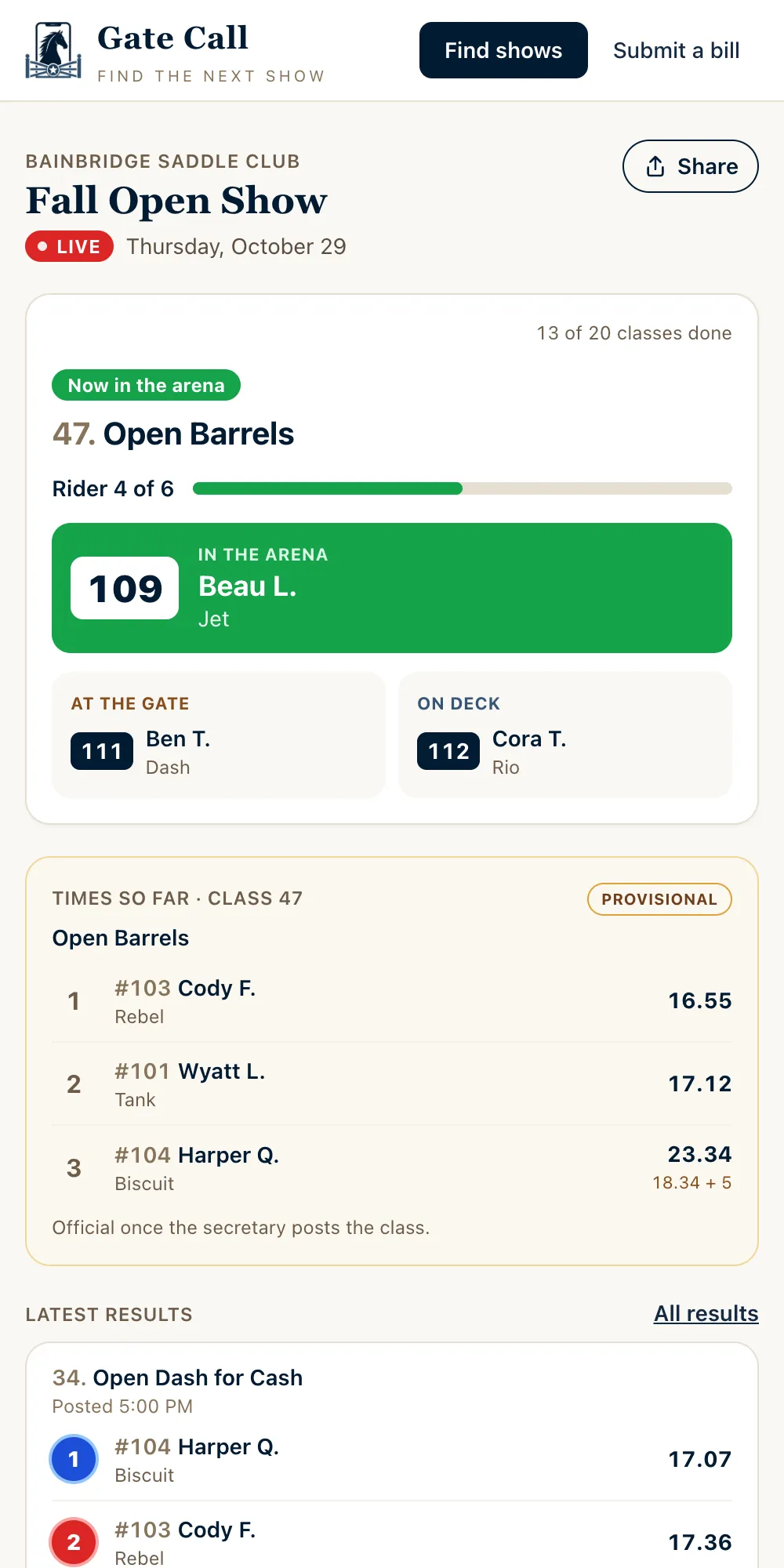
Open the TV display on any screen by the arena: the class running, who's in the arena, at the gate and on deck, times as they happen and the placings the moment they post, for one arena or two side by side. Families share the Watch live page with anyone, and the organization can add its YouTube, Facebook, Vimeo or Twitch stream.
Results and points
Results that post themselves, and standings that keep up
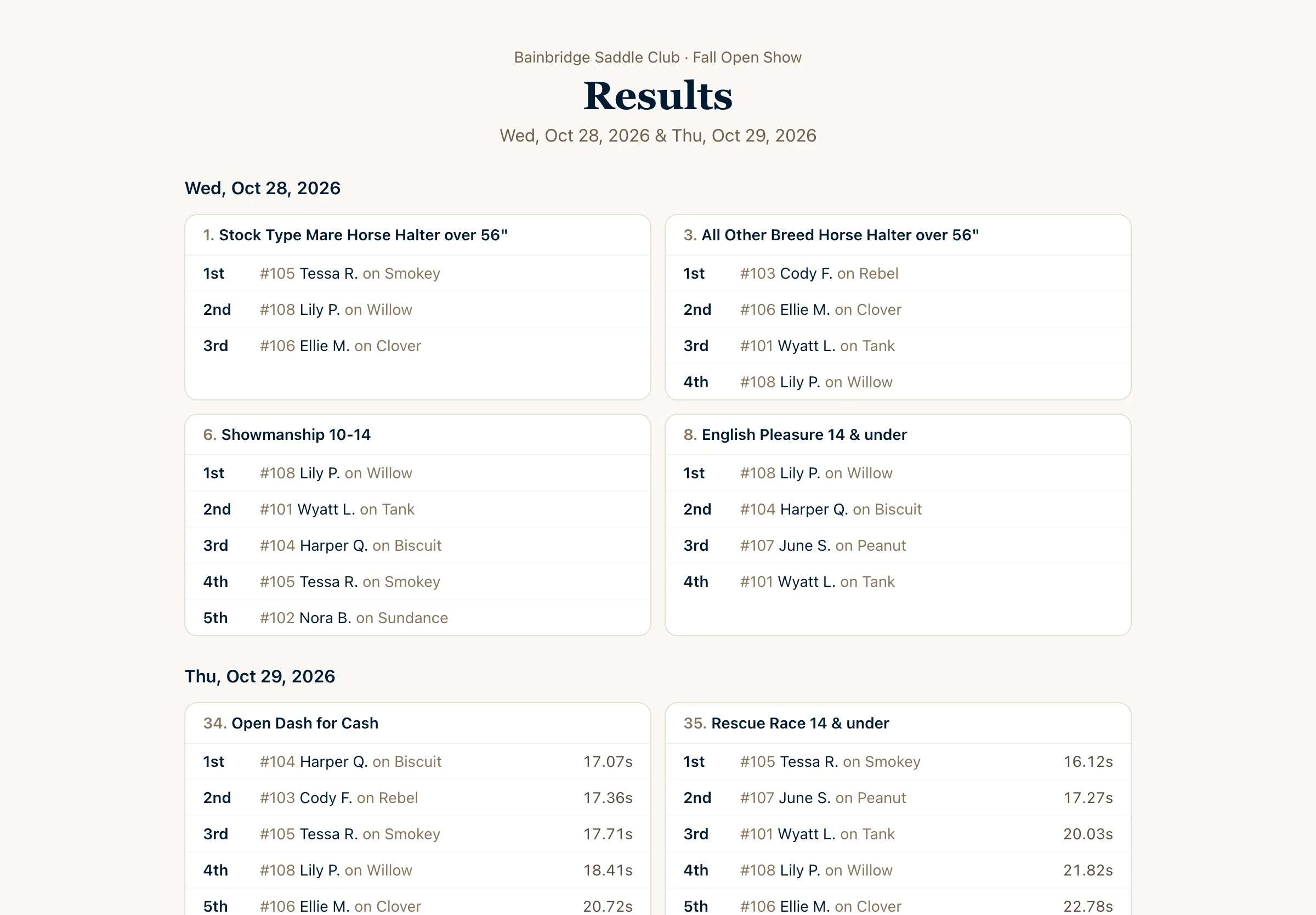
- Placings, times and ribbons for every class, public the moment the secretary posts them.
- Each rider's results follow them across organizations and seasons in the rider app, with a card to share.
- High-point standings recompute as classes post, by the organization's own rules: members only, minimum shows, award caps, volunteer hours.
- Placing rules to match yours, like runs with a knocked barrel or pole placing below every clean run.
Membership
Members join in the app, one rider or the whole family
- Per-rider dues, or a family price that covers the whole family; Gate Call charges whichever is lower, rider by rider as they join.
- Send out a sign-up link and QR code, or print the flyer for the show office.
- A membership counts once its dues are paid, online or recorded at the office.
- Volunteer hours logged per member and totaled by membership, counted toward year-end awards.
For the organization
Less paperwork, more show
- Build the bill from your series, a copy of last month's show, or a photo of the printed bill. Drag classes into running order across arenas, combine or split them, and renumber in one tap.
- A console menu in the order a show runs: get ready, show day, wrap up.
- Money by day and method, card reconciliation, and CSV exports of entries, results, bills and standings.
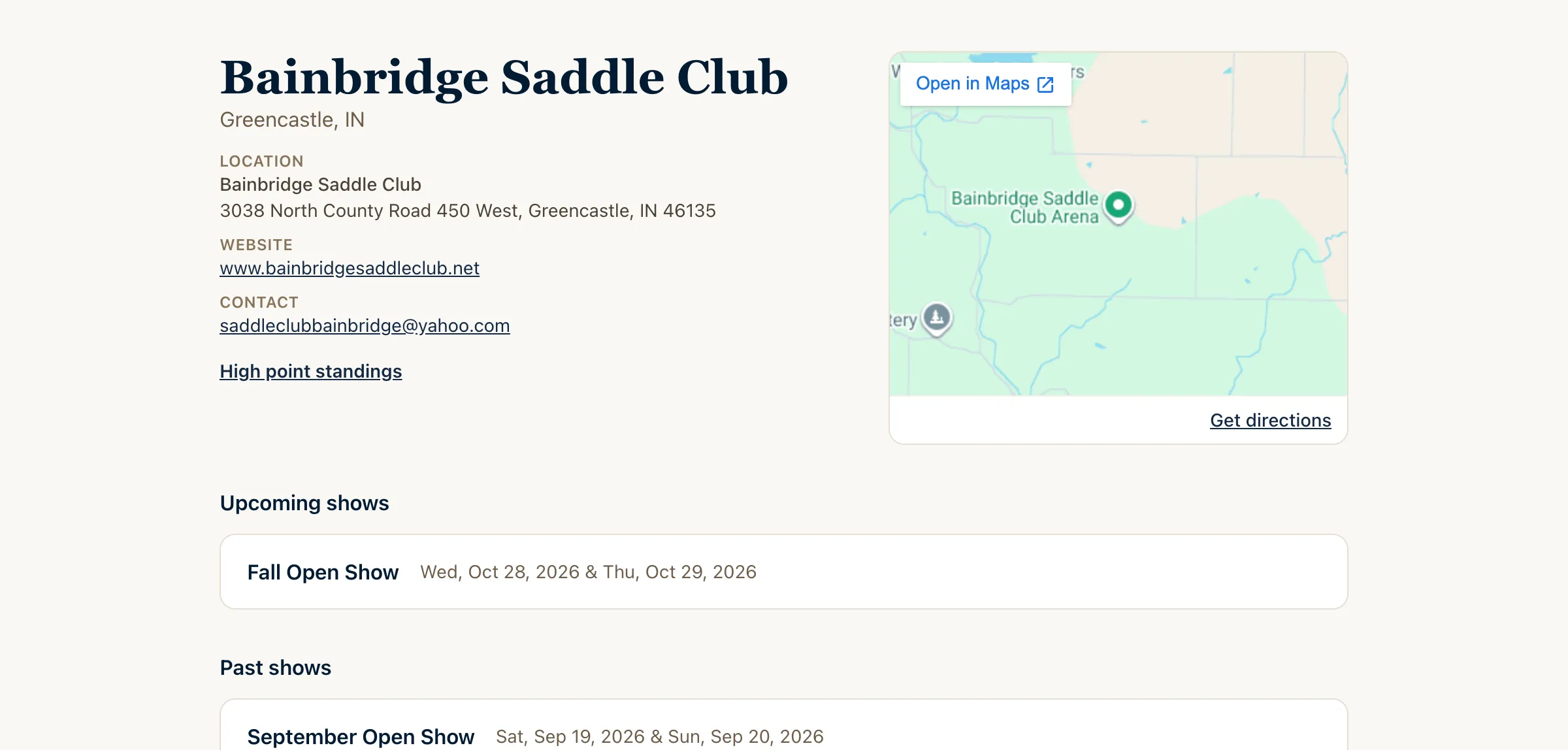
- Your organization page and logo, on the show bill and the arena TV, with a map of the grounds and every show you've run.
Riding or showing?
Find a show near you, then enter, pay and follow your riders from your phone.
Running a show?
Build the bill, take entries and run show day from the organization console, or send us a bill to list.